Cardplan® Board
Cardplan® board for visual planning: cards are inserted and removed by hand and always stay in position.
- Robust, torsion-free metal panel with light grey plastic insert cells
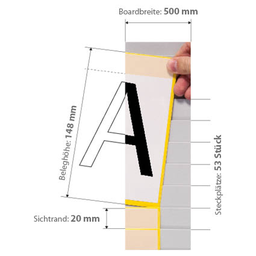
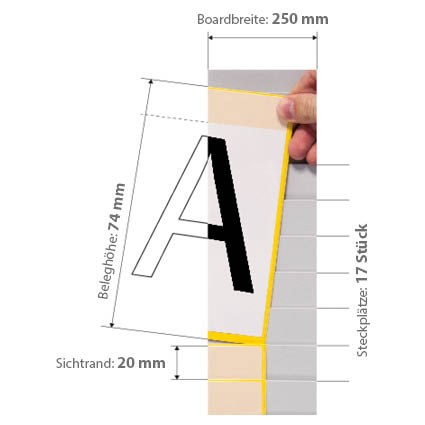
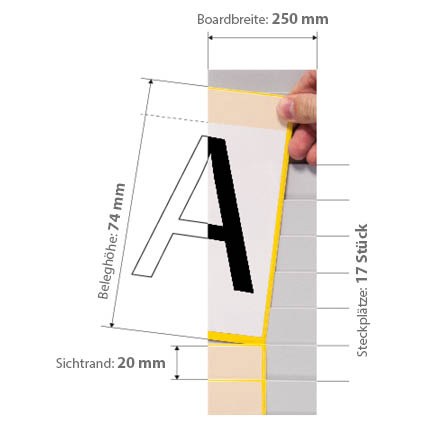
- Cards up to 2 mm thick, formats from DIN A8 to DIN A4, visible edge from 15 to 90 mm
- Width 250 or 500 mm; board height 440, 795, 1085 or 1244 mm
- Frameless boards can be assembled side by side and expanded later; boards for A4/A3 cards have aluminium frames on both sides, except the 500 mm wide versions K524-15-G, K534-15-G, K515-90-G, K525-90-G, K535-90-G and K543-30-G
- Wall mounting with Z-profiles, rails or magnetic sheets (Cardplan accessories)
ORGATEX Cardplan® · Planning boards
Cardplan® Board: planning board for kanban cards and documents
Loose orders, work documents and kanban cards are quickly lost. The Cardplan® board holds them in overlapping pockets, each in its place, with only the edge showing: you read it without taking anything out. The metal panel is modular and mounts on the wall, on metal surfaces or on the mobile board stand.
Why choose it
Every document in its place
The overlapping pockets hold single sheets and small stacks up to 2 mm securely: orders and cards stay in sequence, with no loose papers on the workbench.
Read the edge, not the whole sheet
Only the visible edge, 15 to 90 mm, sticks out of the pocket: the card’s heading and code can be read at a glance.
Inserted and removed by hand
No tools needed: the document slides into the pocket and comes out with one hand. The pockets are made of durable light grey plastic.
Modular and expandable
Sturdy, dimensionally stable metal panel, 250 or 500 mm wide. The frameless boards are placed side by side to the width you need, extended later and combined with Cardplan® whiteboards.
Choose it if…
- you handle many orders, work documents or kanban cards that must stay in sequence
- you want to read the edge of each card without taking it out of the pocket
- you need a planning board that you build to the width you need and extend over time
- you want to mark columns, headings and traffic-light zones directly on the board
Choose another solution if…
- if the kanban cards go into modular card holders, in a column Systembox →
- if you only need to collect the cards before reordering Transparent Plastic Kanban Mailbox →
- if you want to start with a complete kanban kit, boards and stand included Kanban Starter Set with Systembox →
- if you need to organise A4 documents and forms on the wall in steel compartments Primus - Column →
Not sure which one to choose? Use the Visual Management guide →
Technical data
| Card Height | 74 mm (DIN A7 landsc. / A8 portr.), 100 mm, 105 mm (DIN A6 landsc. / A7 portr.), 148 mm (DIN A5 landsc. / A6 portr.), 210 mm (DIN A4 landsc. / A5 portr.), 297 mm (DIN A3 landsc. / A4 portr.) |
| Visible Edge mm | 15, 20, 30, 40, 60, 90 |
| Board Height mm | 440, 795, 1085, 1244 |
| Width mm | 250, 500 |
You choose the card height (74, 100, 105, 148, 210 or 297 mm, with the corresponding DIN format), visible edge (15 to 90 mm), panel height (440, 795, 1085 or 1244 mm) and width (250 or 500 mm); not every combination exists. The number of rows depends on the combination and appears next to the cart when you choose the version.
Accessories and related products
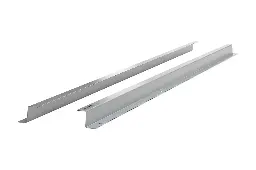 Z Horizontal Supports for CardplanWall mounting, aluminium
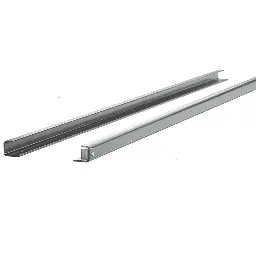 Horizontal Supports for CardplanSteel wall rails
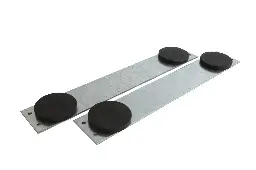 Magnetic Supports for CardplanMounting on metal surfaces
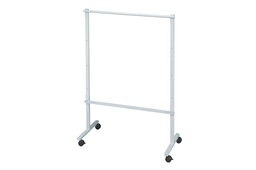 Cardplan® – Mobile Planning Board StandMobile board on castors
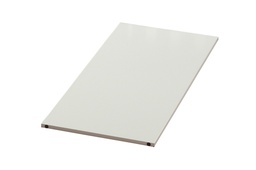 Cardplan® – WhiteboardWhiteboard to place alongside
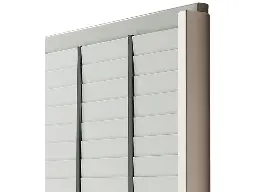 Vertical divider for Cardplan®Columns on the board
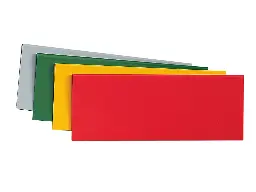 Cardplan® traffic light systemKanban traffic-light zones
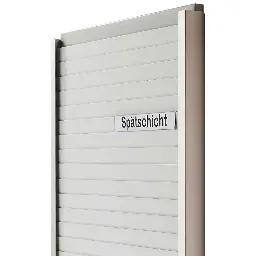 Insert Labels for CardplanRow and column headings
 Aluminium Side Frames for Cardplan®Aluminium side frames
Which Cardplan® do you need?
Tell us which documents or cards you use, how many there are and where the board goes: we will recommend card height, visible edge, panel and mounting. For large quantities or recurring supplies we prepare a dedicated quote.